Quick Answer
You need a TV licence if you watch live television on any channel or use BBC iPlayer for any reason. The device does not matter. The same rule applies whether you are watching on a television set, laptop, phone, tablet or games console. If you only watch on-demand services such as Netflix, Disney+ or Amazon Prime Video, and you never touch BBC iPlayer, you do not need one.
The Basic Rule
Under the Communications Act 2003, two things trigger the requirement to hold a valid licence:
- Watching or recording live television — any channel, any broadcaster, any device, any platform.
- Using BBC iPlayer — any content, live or on-demand catch-up, on any device.
That is it. If neither of those applies to you, you do not need a licence. If either applies, you do.
The word “live” means you are watching a programme at the same time as it is being broadcast for everyone else. If a programme is going out at 8pm and you are watching it at 8pm, that is live — even if you are watching through a streaming app rather than a traditional aerial. The moment you watch something that is simultaneously being shown to other viewers, you have crossed into licence territory.
A common misconception is that the license only covers BBC content. It does not. Watching any live channel — ITV, Channel 4, Channel 5, Sky Sports, CNN, any foreign broadcaster — requires a licence. The BBC collects the fee, but the legal requirement extends to all live broadcasts.
Who Needs One and Who Does Not
✕ You Need a Licence
Watch live BBC, ITV, Channel 4, Channel 5, or any other channel
Use BBC iPlayer (live or on-demand catch-up)
Watch live TV through Sky, Virgin, Freeview, or Freesat
Watch a live stream on YouTube, Amazon Prime, or Now TV
Watch live sports like a Premier League match as it happens
Watch live foreign channels streamed online
✓ No Licence Needed
Watch Netflix on-demand
Watch Disney+ on-demand
Watch Amazon Prime Video on-demand (not live)
Watch ITVX, Channel 4, or My5 catch-up (not live)
Watch uploaded YouTube videos (not live streams)
Play video games on your television
Watch DVDs or Blu-rays
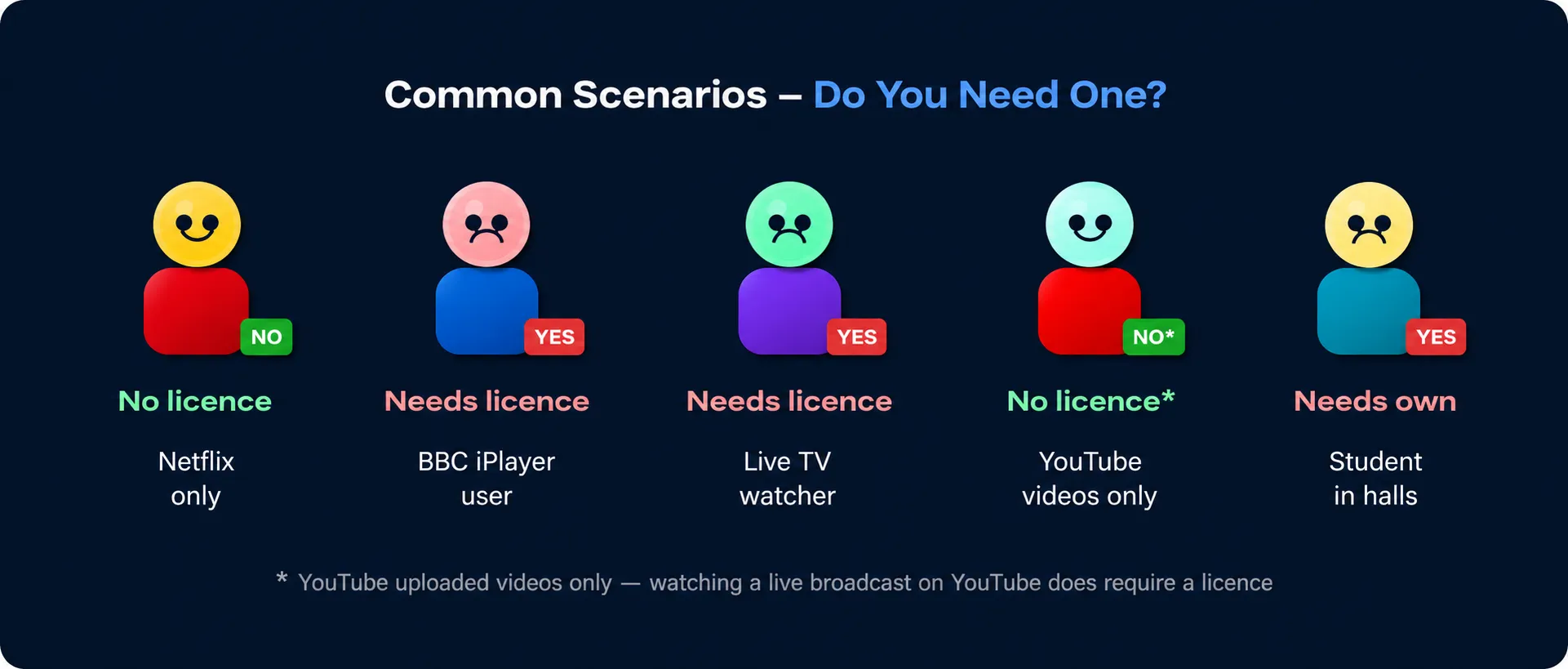
Do I Need a TV Licence? (Common Situations)
Platform by Platform: What Requires a Licence?
The same basic rule applies across every service. The question is always: is what you are watching live, or is it BBC iPlayer? Here is how that plays out across the main platforms.
|
Platform |
Licence needed? |
Detail |
|
BBC iPlayer |
Yes, always |
All content requires a license, live or on-demand. No exceptions. |
|
Freeview |
Yes |
All live channels via Freeview aerial or online require a licence. |
|
Sky (live channels) |
Yes |
Watching live Sky channels — Sky Sports, Sky Atlantic, etc — requires a licence. |
|
Sky on-demand only |
No |
If you only watch Sky’s on-demand library and never watch anything live, no licence is needed. |
|
Netflix |
No |
On-demand only. No live broadcasts. No licence needed. |
|
Disney+ |
No |
On-demand only. No license needed. |
|
Amazon Prime Video |
Depends |
On-demand content does not need a licence. Live sports or live channels streamed through Prime do require one. |
|
ITVX (catch-up) |
No |
On-demand catch-up content on ITVX does not require a licence. |
|
ITVX (live) |
Yes |
Watching ITV live through ITVX requires a license. |
|
Channel 4 on-demand |
No |
Catch-up only content does not need a licence. |
|
YouTube (uploaded videos) |
No |
Standard uploaded videos do not need a licence. |
|
YouTube Live |
Yes |
Live broadcasts on YouTube — news channels, live sport — require a licence. |
|
Now TV |
Depends |
Live content requires a licence. On-demand only does not. |
|
Apple TV+ |
Yes |
On-demand only. No licence needed. |
The Amazon Prime edge case
Amazon Prime occasionally streams live sports — Premier League matches, for example — directly through its app. If you watch one of those live, you need a license. If you are watching The Boys or a film on Prime, you do not. The same content in the same app can flip between requiring a licence and not requiring one depending on whether it is live at that moment.
Does It Matter What Device You Use?
No. The device is irrelevant. What matters is what you are watching, not what you are watching it on. A TV set, laptop, phone, tablet, smart TV, games console, streaming stick or desktop computer all fall under exactly the same rules.
📺
Live TV = licence needed
💻
Live TV = licence needed
📱
Live TV = licence needed
📟
Live TV = licence needed
🎮
Live TV = licence needed
🖥️
Live TV = licence needed
Your household licence covers every device at your address. If you already hold a UK TV licence at home, you are covered when watching live TV on your phone while you are out — the licence travels with you as long as the device is yours and you are not using someone else’s mains electricity supply.
One licence, whole household
You do not need a separate licence for each television, phone or laptop in your home. One licence at your address covers all devices and all people living there. The exception is students in halls of residence — see the section below.
Specific Situations
The basic rule is clear, but a few common situations catch people out.
A student’s parents’ licence does not cover them when they are living away from home. If you are in halls and you watch live TV or use BBC iPlayer on your own devices in your room, you need your own licence. Many students in halls only use Netflix and never watch live — in that case, no licence is needed. If you are not sure, do not assume you are covered.
A second home requires its own license if live TV is watched there. Your main home licence does not extend to a holiday cottage, second flat or buy-to-let property. A caravan may be an exception if only a battery-powered device is used and the caravan is not connected to mains electricity.
If your viewing is genuinely limited to Netflix, Disney+, Amazon Prime Video (on-demand only), Apple TV+, ITVX catch-up, Channel 4 on-demand and YouTube videos — and you never watch anything live or use BBC iPlayer — you do not need a licence. You should submit a No Licence Needed declaration to stop enforcement letters.
Owning a television set is irrelevant. The licence requirement is about what you watch, not what hardware you own. If you watch live TV or BBC iPlayer on your laptop, you need a licence, even if there is not a single TV set in your home.
What Does “Live” Actually Mean?
This trips people up more than anything else. “Live” does not mean sport or breaking news. It means you are watching a programme at the same time as it is being broadcast to everyone else. A soap opera, a sitcom, a quiz show — if it is going out at a set time and you are watching it at that same time, that is live viewing.
It does not matter how the signal gets to you. Watching through a satellite dish, a cable connection, a Freeview aerial, a streaming app or a smart TV app all count the same. If the programme is simultaneously going out to other viewers right now, and you are watching it right now, you need a licence.
The moment you watch something that was recorded or made available after its broadcast — a catch-up episode on ITVX, a past series on Channel 4, a downloaded film — that is on-demand viewing and does not require a licence. Unless it is on BBC iPlayer, where even on-demand content requires one.
What to Do If You Don’t Need a Licence?
If you genuinely do not watch live TV or use BBC iPlayer, you are under no legal obligation to hold a licence. But you will almost certainly receive enforcement letters from TV Licensing unless you tell them.
The solution is a No Licence Needed declaration. You submit this through the TV Licensing website at tvlicensing.co.uk. It takes a couple of minutes and tells TV Licensing that your address does not require a licence. They will stop sending letters for up to two years, after which they may contact you again to reconfirm nothing has changed.
You are not admitting anything
Submitting a No License Needed declaration does not mean TV Licensing will stop investigating your address entirely. If they have reason to believe your viewing habits have changed, they can still follow up. But for households that genuinely only stream on-demand content, the declaration is the cleanest way to stop the letters.